Snapdragon X2 Elite is HERE — 2X Faster Than the M5 MacBook Air
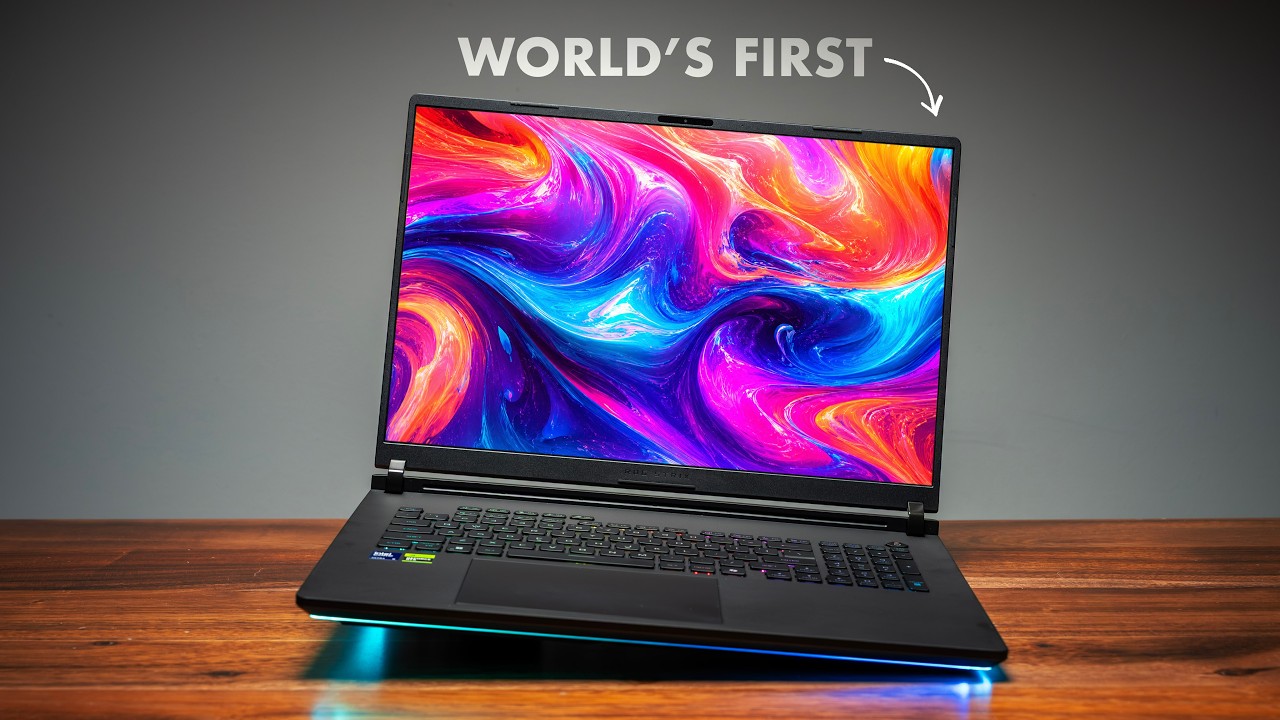
The ASUS ZenBook A16 with Snapdragon X2 Elite Extreme inside might be the most compelling Windows laptop of 2026. Cyberpunk runs on it. Overwatch pushes over 100 frames. And in multi-core performance, this thing scores over double the M5 MacBook Air. A couple of years ago, none of this was possible on a Snapdragon laptop, period.
But the big question is: is a Snapdragon laptop finally worth it? After spending serious time with both the A16 and A14, here's everything you need to know.
Quick Verdict
Rating: 8.5/10
The ASUS ZenBook A16 with Snapdragon X2 Elite Extreme is the best Windows laptop for Photoshop and Premiere Pro, delivers MacBook-level battery life, and finally makes Snapdragon worth considering for most users. The software compatibility situation has improved massively — we're 90% there. The remaining 10% is still real, but shrinking fast.
Best For:
- Creative professionals using Premiere Pro and Photoshop
- Power users who need 48GB RAM without buying a MacBook Pro
- Anyone who wants MacBook-level battery life on Windows
- Local AI and LLM enthusiasts who want maximum NPU efficiency
ASUS ZenBook A16 Specs
| Component | Specification |
|---|---|
| Processor | Qualcomm Snapdragon X2 Elite Extreme |
| Cores | 18 cores (12 Prime + 6 Performance), 3nm |
| Clock Speed | Up to 5 GHz (two cores), Extreme variant |
| Memory Bus | 192-bit, 228 GB/s bandwidth |
| RAM | 48GB unified memory |
| Display | 16-inch OLED, 2880x1800, 120Hz, 1100 nits peak, 100% DCI-P3 |
| Storage | User-upgradeable NVMe SSD |
| Battery | 70Wh — up to 19 hours 47 minutes |
| Ports | 2x USB 4.0 (Type-C), HDMI 2.1, USB-A, SD card, 3.5mm |
| Audio | 6 speakers (2 tweeters, 4 woofers) |
| Camera | 1080p front-facing |
| Weight | Thin and light chassis |
| Price | See current prices below |
The Snapdragon X2 Elite — What Actually Changed
This isn't just a clock speed bump. The Snapdragon X2 Elite goes from 12 identical cores to 18 — 12 prime cores for heavy lifting and six performance cores for efficiency — all built on 3nm. The Extreme variant in the A16 hits 5 GHz on two cores and runs a 192-bit memory bus pushing 228 GB/s of bandwidth with 48GB of unified memory. That unified memory part is critical.
But the thing that really surprised me is the NPU. Snapdragon's NPU is hands down the best and most efficient across the board — better than Apple's, better than AMD's, better than Intel's. If you run local LLMs directly on the NPU, Snapdragon is going to do it the most efficiently. On an airplane with no charger and a local language model running? The NPU just sips battery, practically silent. On Intel or AMD, fans kick on and battery drains fast. Apple's more optimized software verticals will edge it out on speed, but efficiency matters too.
Performance: Multi-Core Dominance
CPU Performance
Single core: the A16 hits 661. The M5 MacBook Air gets 723. Apple still wins single core — but these are the fastest single-core speeds I've ever seen on a Windows laptop, period.
Multi-core is where the story changes completely.
Key Performance Benchmarks:
- Multi-core (A16): 7,415 — more than double the M5 MacBook Air's 3,583
- Multi-core (A14): 6,106 — still crushing it
- Speedometer: A16 = 51, M5 Air = 52 — basically identical
- Photoshop: A16 = 11,238, M5 Air = 12,000+ (Apple edges it, but both dominate Intel/AMD)
- Premiere Pro: A16 = 16 min 11 sec, M5 Air = 31 min 41 sec — A16 is nearly 2x faster
If you're living in the browser with modern web apps, these Snapdragon laptops are going to feel faster than any Intel or AMD laptop right now. All browsers are fully optimized for ARM. And if you live in Photoshop and want the best Windows laptop for it — it's going to be a Snapdragon X2 Elite laptop. Period.
Video Editing: Premiere Pro vs. Da Vinci Resolve
Premiere Pro finishes in 16 minutes 11 seconds on the A16. The M5 MacBook Air takes 31 minutes 41 seconds — nearly double. Premiere Pro is still very CPU-intensive and the X2 Elite's multi-core just dominates.
Da Vinci Resolve is a completely different story. 50 minutes 30 seconds on the A16 vs 29 minutes on the Acer Swift Edge with Panther Lake and the Arc B390 GPU. Da Vinci is very GPU-focused and the integrated GPU on Panther Lake is just stronger for that workload. If you're editing video on a Snapdragon laptop, Premiere Pro is your app.
Gaming: This Shouldn't Work — But It Does
The gaming situation on Snapdragon has genuinely changed. A lot of games I couldn't play before are playable today.
Game Results on the ZenBook A16:
| Game | Performance | Notes |
|---|---|---|
| Overwatch | 100+ FPS | 1920x1200, beautifully smooth |
| Fortnite | Runs well | One crash, otherwise great |
| Black Myth: Wukong | Playable with frame gen | Even top GPUs need frame gen here |
| Cyberpunk 2077 | 45 FPS | Medium settings — a big deal |
| Marvel Rivals | Wouldn't load | — |
| Arc Raiders | Wouldn't load | — |
Easy anti-cheat is now supported on ARM, which is why multiplayer games finally work. The new Snapdragon control panel autodetects your Steam library and applies per-game optimization profiles automatically. There's also a website you can check to verify compatibility before buying.
It's somewhere in the middle between MacBook's gaming library and x86 Windows laptops — but closer to x86 in terms of what your library will look like. Not perfect, but closer every year.
Display: Gorgeous on the A16, Modest on the A14
The A16's display is exceptional — a 16-inch 2880x1800 120Hz OLED with 1100 nits peak brightness, 100% DCI-P3 coverage, and factory calibrated to Delta E under 1. It's not touch and it's not matte, but everything looks incredible on it.
The A14 in most regions ships with a 1920x1200 60Hz panel topping out around 600 nits. Some regions offer a 3K OLED upgrade. The standard display is solid but noticeably behind the A16.
One note on both: the bezels are plastic, which takes away slightly from an otherwise premium design.
Design and Build Quality
Both the A14 and A16 use ASUS's Ser aluminum across the entire chassis — lid, keyboard deck, and base — giving it an almost rubberized feel that most other laptops don't have. It does a great job preventing fingerprints, and the unique beige color is a genuinely nice change from the sea of silver and black laptops.
Both open easily with one hand. The keyboard has 1.3mm of travel — it feels good, feels clicky, and the white backlight pops beautifully against the beige keycaps.
Ports on Both Models:
- 2x USB 4.0 (Type-C, full bandwidth)
- HDMI 2.1 (supports up to 3 external monitors — M5 MacBook Pro only does 2)
- USB-A
- 3.5mm combo audio jack
- SD card slot (A16 only)
The touchpad on the A16 is massive, with gesture controls built into the edges — swipe left for volume, right for brightness. Honest take: it's a good glass mechanical touchpad, but it's a miss not to have haptic here at this price point.
Battery Life: MacBook-Level Endurance on Windows
This is where the X2 Elite truly shines.
- A16: 19 hours 47 minutes (video playback test, 70Wh battery)
- A14: 27 hours 17 minutes
The numbers don't even tell the full story. You can leave this thing on idle, come back a week later, and barely see any battery drop. If you're happy with how MacBooks handle battery life, that's the same experience here — and you get full performance on battery, which is a major advantage over most Windows laptops.
Fan Noise and Thermals
The loudest the A16 gets is 51 dB in performance mode — but you really have to be pushing it hard to get there. For normal use, you'll likely not hear the fans at all. Significantly quieter than most high-performance Windows laptops.
Note: The thermal and power graphs didn't make it into the video, but here are the stats — the ZenBook A16 with X2 Elite Extreme boosts up to 100W under load then averages 60W, with temps hovering around 72°C.
Audio and Camera
Six speakers — two tweeters, four woofers — and ASUS claims 163% more total volume than the MacBook Air 15. For a thin-and-light, the audio is genuinely impressive.
The 1080p front-facing camera is solid for video calls, consistent between both the A14 and A16.
Upgradeability
The NVMe SSD is user-swappable — just a few screws. Everything else (Wi-Fi card, memory) is soldered. One missed opportunity: the A16's 70Wh battery takes up the same chassis footprint as the A14, leaving what feels like wasted space. A larger battery could have pushed the A16's already excellent numbers even further.
Pros and Cons
Pros ✅
- Multi-core performance doubles the M5 MacBook Air — the fastest Windows multi-core I've tested
- Battery life matches MacBook Air, with full performance on battery
- Photoshop and Premiere Pro best-in-class on Windows
- 48GB unified memory — to get this from Apple you're buying a MacBook Pro 14
- NPU efficiency is the best available — ideal for local AI workloads
- Design and build feel premium and unique
- Gaming has improved massively from two years ago
Cons ❌
- Single-core still behind M5 MacBook Air (661 vs 723)
- Da Vinci Resolve is slower than Panther Lake + Arc GPU setups
- ~10% of games/apps still won't load
- No haptic touchpad at this price point is a miss
- A14 base display (60Hz, 600 nits) is a significant step down from the A16
Who Should Buy This?
Perfect For:
Premiere Pro editors: A16 finishes export jobs in literally half the time of the M5 MacBook Air. If your workflow is Premiere, this is your best Windows option.
Photoshop power users: Unified memory architecture puts this at the top of the Windows stack for Photoshop — nearly matching Apple while crushing Intel and AMD.
Users who need 48GB RAM on a budget: To get 48GB RAM from Apple you're buying a MacBook Pro 14 at a significant premium. The A16 delivers this in a thin-and-light at a much more aggressive price point.
Local AI enthusiasts: The Snapdragon NPU is the most efficient available for running local LLMs. If that matters to you, nothing beats it.
Consider Alternatives If:
- Da Vinci Resolve is your primary editing app — look at Panther Lake + Arc GPU laptops instead
- Your game library includes titles not yet ARM-compatible — check the compatibility list first
- You need the absolute fastest single-core performance — M5 MacBook Air still leads here
Pricing and Availability
For what you get — OLED display, 48GB unified memory, nearly 20 hours battery, and industry-leading multi-core performance — these are priced aggressively. Panther Lake alternatives are hard to find and significantly more expensive right now. Intel is having a tough time with supply.
ASUS ZenBook A16 — Where to Buy:
ASUS ZenBook A14 — Where to Buy:
- 🇺🇸 ASUS ZenBook A14 — $1,349 (USA)
- 🇺🇸 ASUS ZenBook A14 (USA — alternate)
- 🇨🇦 ASUS ZenBook A14 (Canada)
Final Thoughts
The Snapdragon X2 Elite changes the conversation. Not because it wins everywhere — it doesn't — but because it's now winning where it matters most for most people. Multi-core dominance. MacBook-level battery. Best NPU efficiency available. Premiere Pro that finishes in half the time. A gorgeous OLED display. And a gaming situation that has genuinely improved to where 90% of the experience is now there.
The remaining 10% — a few incompatible games, Da Vinci Resolve, single-core trailing Apple — is real, but shrinking every year. In another year or two, we probably won't be having this conversation at all.
The A16 is the one to get if you want the full package: the 3K OLED, the 48GB of unified memory, and the SD card slot. The A14 is the more affordable entry point if you don't need the larger display.
Either way, Snapdragon is finally worth it.
Final Rating: 8.5/10
Highly recommended for creative professionals, AI enthusiasts, and anyone who's been waiting for Windows to match MacBook battery life without sacrificing performance.
Frequently Asked Questions
Q: Is the Snapdragon X2 Elite compatible with most Windows apps? A: About 90% of everyday apps and games now work. Check the Snapdragon compatibility website for your specific titles before purchasing. Most productivity software, browsers, and creative apps are fully optimized.
Q: How does the A16 compare to the A14? A: The A16 has the stronger Extreme chip variant, a 3K 120Hz OLED (vs standard FHD+ on A14), an SD card slot, six speakers, and a larger battery. The A14 gets longer battery life (27 hours) thanks to better power-to-size ratio, and starts at a lower price point.
Q: Can the SSD be upgraded? A: Yes — the NVMe SSD is user-swappable on both models. Memory and Wi-Fi are soldered.
Q: How does battery life compare to MacBook Air M5? A: They're essentially equivalent in real-world use. The A16 hits nearly 20 hours in video playback and maintains full performance on battery — the same experience you'd expect from a MacBook.
Q: Is the A16 good for Da Vinci Resolve? A: Not ideal. Da Vinci is GPU-intensive and the integrated Adreno GPU trails dedicated GPU setups. For Da Vinci, look at Panther Lake laptops with Intel Arc B390. For Premiere Pro, the A16 is the better choice by a wide margin.
Last Updated: April 2026 Affiliate Disclosure: This article contains affiliate links. If you purchase through these links, we may earn a commission at no extra cost to you.