OLED Touchscreen MacBook Pro Is Faster… But There's a Catch
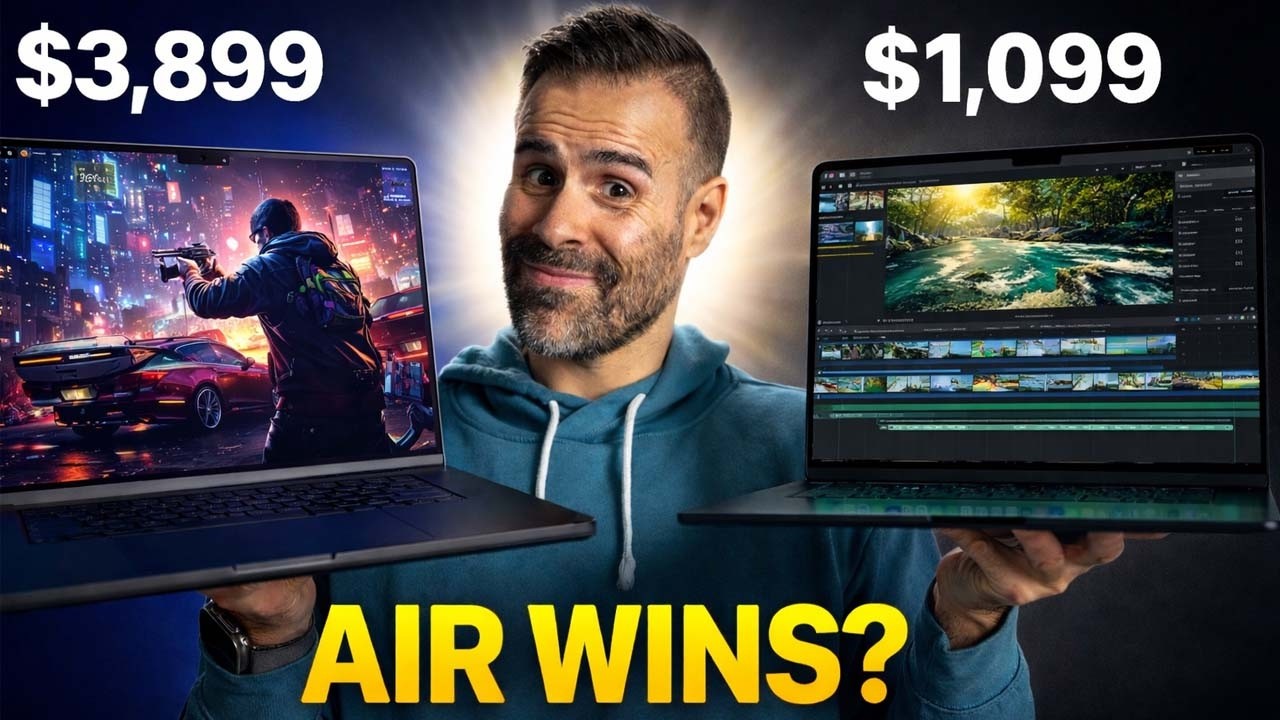
Same M5 Max chip, same battery, same ports. One is $400 more, over half a pound lighter, and has a touchscreen. I ran both through the same 30-minute stress test side by side, and the thinner one actually came out faster, but it's doing something very interesting to get there. If you already own the Mini-LED MacBook Pro 16 or 14, your laptop is actually better than the new one in a couple of ways, and I'll show you exactly where. There's also an M6 MacBook Pro 14 on my desk that beats both of these at one thing. The new MacBook Pro with the OLED display is absolutely gorgeous, though, and by the end you'll know whether it's worth $400 more.
Quick Verdict
If you're buying your next MacBook Pro 16, I think the extra $400 for the OLED is worth every penny. You're paying for a lighter body, a tandem OLED that's probably the nicest display I've ever seen on a laptop, and 4–6% more sustained CPU performance. The touchscreen is just the icing on the cake. The catch: it gets louder and hotter to get that performance.
- Get the OLED if you carry it every day, watch or edit HDR, or work in dark rooms.
- Get the Mini-LED if it lives on a desk, if fan noise bugs you, or if you'd rather put that $400 into more RAM or storage, especially if it goes on sale.
- Already own an M5 Max (or M4 Max) Mini-LED MacBook Pro 16? Absolutely don't upgrade. Your laptop is still fantastic.
Design: The Difference You Feel
There's one big difference I didn't notice until I picked them both up: the weight. These laptops feel so solid that you don't think about it until the old one is right beside the new one.
| MacBook Pro 16 (OLED) | MacBook Pro 16 (Mini-LED) | |
|---|---|---|
| Weight (measured) | 4.06 lb | 4.65 lb |
| Thickness | 16mm | 16.8mm |
| Depth | ~4mm shorter front to back | — |
| Price difference | +$400 | — |
That's just over half a pound, or about 270g, lighter, and it's thinner and shorter too, so the whole thing takes up less room in your bag. Flip it over and the feet are recessed into the bottom, where on the old one they stuck out more. There are fewer screws on the bottom panel, since Apple got rid of the ones in the middle, and there are new vents along the sides and back. Remember those, because they come back in the performance section.
Everything else is the same: same ports, same headphone jack, same MagSafe, and the same 140W charger in the box. From across the room, the only way to tell which one is new is the lid: the glowing Apple logo is back for the first time in about 10 years. It's a small touch, and a lot nicer than the crazy RGB you see on a lot of gaming laptops. Because OLED has no backlight, Apple couldn't light the logo with the screen like it used to, so it's doing it a different way.
Apple also redesigned the hinge. It was already really good, but now the screen takes touch, so it has to stay put when you press on it. I wobbled it, tapped it, opened it, and closed it, and it does feel more solid than the Mini-LED, with less bounce after you tap the screen.
Display: The Real Star
The Mini-LED is still fantastic, so let's not forget about it. But on an OLED, every pixel turns on and off by itself, so you get much better contrast.
| OLED | Mini-LED | |
|---|---|---|
| Contrast ratio | 10,000,000:1 | 1,000,000:1 |
| HDR peak brightness | 2,000 nits | 1,600 nits |
| SDR brightness (measured, auto-brightness) | 1,033 nits | 1,152 nits |
| DCI-P3 / Delta E avg (default preset) | 99% / 1.13 | 97% / 1.37 |
| Adobe RGB | 100% | 86% |
You see the contrast right away in a dark room. Move a white ball across a black screen and you get a glow around it on the Mini-LED, called blooming. On the OLED there's none; it's pixel perfect. HDR is where the OLED gets brighter, and with perfect blacks right next to those highlights, HDR looks incredible.
There's one place the Mini-LED actually wins: everyday brightness. With regular SDR content like a white web page, and auto-brightness on with a bright light on the sensor, I measured 1,152 nits on the Mini-LED versus 1,033 on the OLED. That's the first thing the Mini-LED does better.
Apple calibrates these really well. A lot of OLEDs look way too contrasty and oversaturated, which you don't want when you're editing. There's also a new P3 + Adobe RGB preset on the OLED, and the color gamut on it is wild: 100% sRGB, 100% Adobe RGB, and 99% P3. The Mini-LED tops out at 86% Adobe RGB and doesn't have that preset at all. If you just watch stuff or edit video it's not a big deal; Adobe RGB matters more if you print.
Viewing angles are better too. Look at the Mini-LED from the side and the color shifts, while the OLED looks the same from pretty much anywhere. That doesn't matter if you're staring straight at it, but if you're collaborating with someone standing beside you, they'll see the shift on the Mini-LED and not on the OLED.
Both of my units have nano-texture, so it's a fair comparison. I travel a lot, so I'd pick it again, but if you can control the lighting where you work, get the standard glossy screen; it'll look even better.
OLED also helps with anything that moves. LCD pixels, Mini-LED included, take milliseconds to change, so fast motion smears; OLED pixels switch in microseconds. Playing a first-person shooter, the response time is so much better on the OLED.
Burn-in and PWM
I know some of you are worried about burn-in. Apple's display engine tracks how much every pixel gets used and compensates pixel by pixel, and auto-brightness factors in burn-in risk too. Apple says that reduces burn-in, not that it eliminates it, so I'll do a long-term review and report back if I see anything peculiar. There's also some PWM flicker at 20% brightness and below. At 40–50% I couldn't notice it, and this is pretty standard for OLED displays.
Touch: Nice to Have, Not a Reason to Buy
The funny thing is that I've gotten this far without really talking about touch. I forgot this thing even had touch until about an hour into testing. That's how much I care about touch on a laptop. I've reviewed Windows laptops with touch for years, and I forget about it on those too.
Ergonomically, it doesn't make the most sense in this form factor. The trackpad is already the best input on any laptop, and I can already do about 90% of what Apple showed in the demo on the trackpad, where my hand already is. Reach up to a 16-inch screen for more than a few seconds and your arm gets tired. I also don't like fingerprints on my screen. Nano-texture hides smudges better than glossy glass, but it's a lot harder to clean: the oil gets into the texture, and even Apple's polishing cloth has trouble getting it out.
Is it a reason to buy this? Absolutely not. Is it nice to have? Sure. The main place I'd use it is iPhone Mirroring, because flicking through your phone on a screen is way easier than doing it with a mouse.
Dynamic Island and camera
The other place I'd use touch is the Dynamic Island, which looks so much better than the old notch. It does what it does on the iPhone, holding your music controls, calls, AirDrop requests, and Live Activities, and Spotlight moves up there too, with Siri AI. When the camera is on, the privacy light shows up in the island. The notch was dead space, and now it actually does something.
The camera itself is the same 12MP Center Stage camera, so you won't see a difference in quality. What's new is stabilization: Apple added it because tapping the screen during a video call shakes the camera, so it smooths out the video in real time (Apple says it's both hardware- and software-based). In my very unscientific test, tapping both displays with the same force, the OLED's image still shook, but not as badly as the Mini-LED's. It's not perfect, but it's better.
Speakers
Even though the chassis is thinner and tighter, Apple claims 50% deeper bass from four redesigned force-cancelling woofers. I did a sound test in the video with the same song, same volume, and same mic, so have a listen and decide for yourself.
Performance: Faster, but Louder
Both have the same M5 Max with an 18-core CPU, 40-core GPU, and 128GB of RAM. The new one is thinner, so there's less room for heat to go, and you'd expect it to run hotter and slower.
In short tests, it's a tie. Cinebench 2026 single-core is 718 on the OLED versus 727 on the Mini-LED: same chip, same speed.
30-minute CPU stress test
I ran a 30-minute Cinebench 2026 loop on both side by side, logging power, temps, and fan speed the whole time.
| OLED | Mini-LED | |
|---|---|---|
| Cinebench 2026 (30-min loop) | 9,172 | 8,664 |
| Time to reach ~69W | ~2 minutes | ~15 minutes (sits around 50W first) |
| Drop over 3 back-to-back runs | Flat | ~3.5% |
| Max fan speeds | 6,250 / 6,750 RPM | ~5,350 / ~5,780 RPM |
| Fan noise at full speed | 56 dB | 54 dB |
So the thinner one was about 6% faster. Both top out at about 69W; the difference is how fast they get there. The OLED hits it in about two minutes and stays there, while the Mini-LED sits around 50W for the first 15 minutes and only catches up near the end.
How does the thinner laptop pull that off? The fans. Within a few minutes, the OLED ramps its fans to 100%, and it spins them faster than the Mini-LED's. It's only a 2 dB difference at full speed, but the OLED gets loud within a few minutes, while the Mini-LED stayed around 70% fan speed for most of the 30-minute test. The quieter laptop is the Mini-LED, and that's the second thing it does better.
GPU: a tie, but the Mini-LED is steadier
| 3DMark Steel Nomad stress test (20 loops) | OLED | Mini-LED |
|---|---|---|
| Best loop | 4,343 | 4,371 |
| Stability | 93.8% | 97.3% |
| Temperature at same power | 88°C | 82°C |
That's so close that I'm calling it a tie. But the Mini-LED was steadier and ran about 6°C cooler at the same power, because the bigger chassis has more room to get rid of heat. The OLED gets its extra CPU performance by running the fans harder and letting the chip sit hotter.
Local AI soak test
I ran Qwen 27B generating for 10 minutes straight. Both dipped around minute two, because both chips spike to about 98°C before the fans react. The OLED dipped harder, down to 21 tokens/s, but once its fans maxed out it settled higher: 28.7 vs 27.6 tokens/s, about 4% faster.
Keyboard temperatures
I also put a thermal camera on both at full load, and this surprised me: even though the chip runs hotter in the OLED, the keyboard deck is actually a few degrees cooler. Those new vents are doing their job, so less of that heat ends up under your hands.
To sum up performance in one sentence: Apple said sustained performance would be the same, and I'm seeing 4–6% more on the CPU and the same on the GPU.
Battery, Charging, and OLED-Only Extras
I've only had these for two days, so no battery test yet, but Apple claims identical battery life for both. Dark mode should help the OLED more, since OLED uses less power on dark content. Note that the minimum recommended charger went up from 70W to 94W, so an older, smaller charger will charge it more slowly.
Two small things only the OLED gets:
- Genlock, which syncs the display's refresh rate with your camera.
- A 16TB storage option.
The M6 MacBook Pro 14 Beats Both at Single-Core
The third MacBook on my desk is the MacBook Pro 14 with M6. It's the same as the M5 MacBook Pro 14 (same chassis, same ports, same display); the only change is the chip, with a 12-core CPU and 12-core GPU.
The crazy thing is that the M6 MacBook Pro 14 beats both M5 Max MacBook Pros in single-core: 793 versus 718 and 727.
| M6 vs M5 (MacBook Pro 14) | Improvement |
|---|---|
| Single-core | ~9% |
| Multi-core | ~39% |
| GPU (Steel Nomad) | ~32% |
Should You Upgrade?
If you have the M5 MacBook Pro 16 with Mini-LED, absolutely not. Your laptop is still fantastic, so don't get jealous. It's brighter in everyday use, quieter, and its GPU holds steadier. The new one is lighter, and that would make your life better, but it's not worth switching for. The same goes if you're on an M4 Max.
But this new one really speaks to someone like me. I travel a lot, so a 16-inch that's over half a pound lighter makes a big difference, and you feel it. And once you go OLED, especially tandem OLED, it's so hard to go back. This is probably the nicest display I've ever seen on a laptop, period. If you're buying your next MacBook Pro 16, the extra $400 is worth every single penny.
Sponsored: Proton Mail
This video was sponsored by Proton Mail.
I set up a new laptop pretty much every week for this channel, and the first thing I do is sign into my email, then Steam, my bank, and everything else. Every password reset goes through that one inbox, so it's basically the control center for some of my most personal data. For most of us, that inbox is in the hands of US big tech. You didn't choose that consciously, but you can change it.
Proton Mail is a free, independent alternative built in Switzerland, with no ads, tracking, or profiling. Emails between Proton users are end-to-end encrypted, so only you and the person you're writing to can read them; not even Proton can. It also blocks the trackers that tell companies when you've opened their emails.
Switching is easier than you think. I switched over this week using Easy Switch: you connect your Gmail address to your Proton Mail account in a few clicks and keep sending and receiving from your old address in the same inbox, so you can move over at your own pace. As a Canadian, I like that my email isn't one more thing I rely on US big tech for.
Get your free Proton Mail account at proton.me/matthew
Where to Buy
- MacBook Pro 16 (OLED) — Check it out here
- MacBook Pro 16 (Mini-LED) — Check it out here
This video was sponsored by Proton Mail.
Affiliate Disclosure: This article contains affiliate links. If you purchase through these links, we may earn a commission at no extra cost to you.
Published: November 2026