I Love the iPhone Duo. It's Not for Everyone.
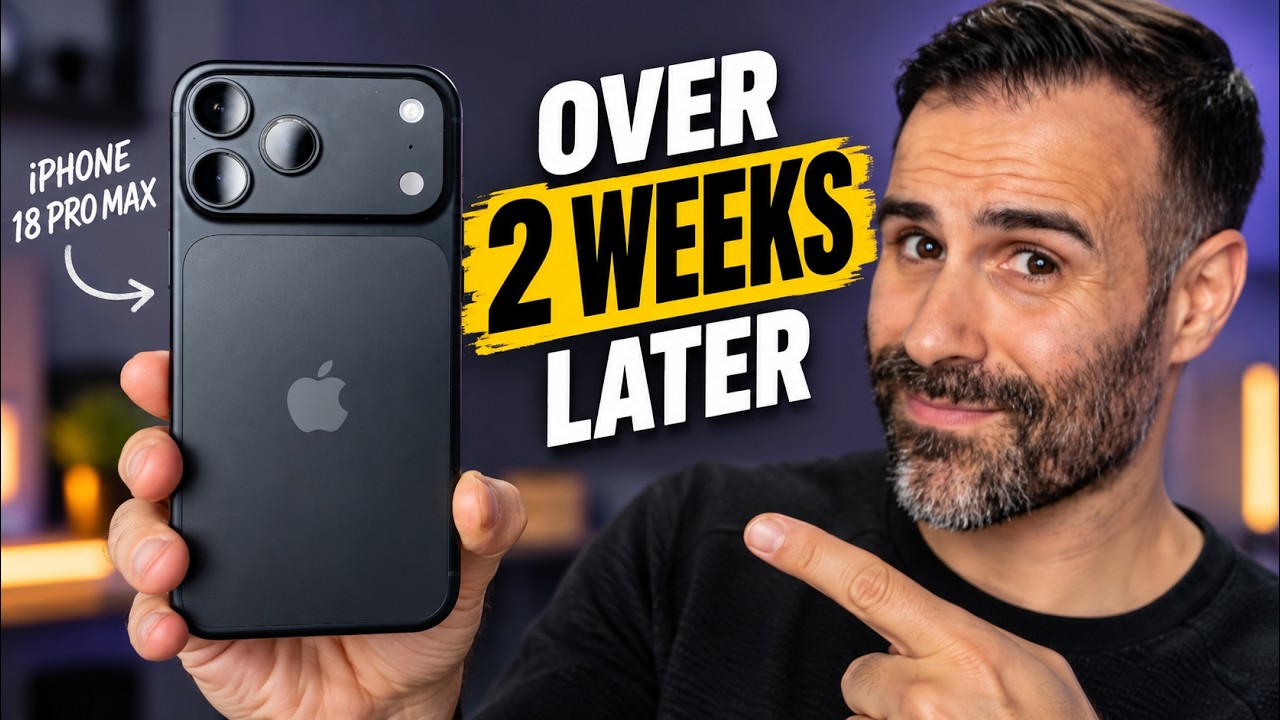
This is the iPhone Duo, Apple's first foldable. It's $2,000 USD / $3,000 CAD, and I've been using it for the past little while. I love it, but if you're coming from a regular iPhone, some of this is going to catch you off guard: Face ID is gone, the Action button is gone, and when I stress-tested it against the iPhone 18 Pro Max and the Galaxy Z Fold 8, it ran the hottest of the bunch. Here's what it's like to live with, the good stuff and the stuff that bugged me, so you'll know whether this is your next phone or you should wait.
Quick Verdict
I absolutely love this phone, but it isn't for everybody. The inner screen is fantastic, with the smallest crease I've seen and a nano-texture coating that kills reflections. Multitasking and the screen-to-screen transitions feel genuinely Apple-polished, and typing is as fast as on a regular iPhone. But you give up Face ID, the Action button, the telephoto camera, and sustained performance, and right now the app experience is hit or miss. If you're okay with some unoptimized apps and little bugs, you'll have fun. If you need polished apps on day one, hold off 3–4 months until the big ones get updated.
You're Buying a Foldable First
A foldable gives you a big screen by shrinking the front one. For some people that's no big deal, and I actually prefer it because I do less mindless stuff on my phone. Scrolling TikTok on the small screen isn't great, so I have to open the phone to do it properly. To me, the little screen is for a quick message, a quick email, or a quick search. Anything serious takes a bit more effort, and I've found that's kind of a good thing. It keeps me off the phone a little more.
Weight and Size
I'm not going to sugarcoat it: this phone is ridiculously heavy. At 254g, it's the heaviest iPhone Apple has ever made.
| Weight | |
|---|---|
| iPhone Duo | 254g |
| iPhone 18 Pro Max | 249g |
| Galaxy Z Fold 8 | 201g |
On paper the Duo is only 5g heavier than the Pro Max, but it doesn't feel like 5g. It's shorter and wider, so all that weight sits in a smaller block in your hand and hangs in your pocket. If you don't mind, it does have that premium heft, and it takes up less space in your pocket because it isn't as tall, though it's obviously wider than a Pro Max.
Touch ID, Buttons, and the Missing Action Button
Face ID is gone. You unlock it with a fingerprint sensor in the side button. I'm used to that from Android foldables, but Apple's version is kind of weird: you press it, then rest your finger and wait. That's a long time when you're used to Face ID, and compared to an Android fingerprint sensor that gets you in instantly. I think Apple built the pause in on purpose, so you get a second to look at your notifications.
The good news: if you have an Apple Watch, you can swipe up and it unlocks through the watch, no fingerprint needed. It's not as fast as Face ID, but it's faster than the fingerprint sensor, and it's how I get into the phone. For Apple Pay, you'll still need to tap the fingerprint sensor even with the watch on, because the watch isn't as secure as your actual finger.
The volume buttons are now on top of the phone, for a good reason: whichever way you have it open, they're in reach of the same hand. The one thing I don't love is screenshots. You used to squeeze power and volume up with one hand; now one button is on top and one is on the side, so for some people it's a two-handed thing. It's a nitpick, but your body has to relearn it.
What really threw me off was losing the Action button. I'm the last one to bed in my house, so I'm the one turning off the lights and checking the doors, and once it's dark I hit the Action button for the flashlight. On the Duo I set up Back Tap in Accessibility, so a double tap on the back turns on the flashlight. It works, but it's not super consistent. The flashlight is also still in the bottom right of the lock screen. I wish Apple would let the Camera Control button do things besides camera apps, because I never use it.
That's the theme of switching to this foldable: all the little quality-of-life things you get on a slab phone have to be reworked. Personally, I think the trade-offs are absolutely worth it, because when I open that big screen, my eyes are in heaven.
The Outer Screen and Software
The outer display is 5.4 inches, a touch smaller than the Fold 8's 5.5. It's bright and glossy like a normal phone, at 1,000 nits typical, 1,600 HDR, and up to 3,000 nits outdoors. Think of it as a chunkier iPhone mini.
The software is where it gets interesting. Apple moved the navigation to the right side: the dock, the controls, all of it lives in a column on the right. On every iPhone, iPad, and Android phone, we're used to having those controls at the bottom, so your brain has to be retrained.
I'm a lefty, and one of the biggest complaints about this phone is that it's hard for left-handed people. Luckily I hold my phone in my right hand (it's pretty much the only thing I do right-handed, other than shooting right in hockey), so it doesn't bother me. If you're a true southpaw, though, it could be a problem, and there's no way to move it. Cases make it worse: a case's lip covers part of the left edge, so you have to adjust the swipe area in Settings, which makes an already cramped screen even smaller.
You'll also notice right away that if an app isn't optimized for the Duo, you get a black bar down the right side. Open a web page and you lose some of the screen and get a more normal phone shape. I get why Apple wants the front screen to act like a phone and the inner screen to act like an iPad, but on a Galaxy or other Android foldable, whatever you open fills the whole screen. Even optimized apps keep that side column here.
The Dynamic Island is different too. It's a vertical pill up in the corner around the camera, where things like music show up. To me it feels like the Temu version of the real one, but it's not a big deal.
The front camera
If you take a lot of selfies, use the outer camera rather than the inner one (more on why below). You have to look up to the top right, because a lot of things aren't centered anymore. It's 12MP, not 18MP like the 18 Pro Max, but it still does Center Stage and still lets you hold the phone vertically and record horizontal video. To me that's the most important part, so I'm glad they kept it, even though they had to downgrade the camera to fit it.
The three swipes
These work on the inner screen too:
- Top left: notifications
- Down the middle: search
- Top right: Control Center
Depending on how you hold it, the top left can be tough to reach. I have long fingers so it's fine for me, but it could be an issue for some people. To be fair, reaching the top of a tall 18 Pro Max is hard too, and this is actually a bit better. Apple says Reachability is coming to the Duo later this year, which should help a lot.
Typing and Speakers
I thought typing would be a dumpster fire for me, because I'm not fast on the Fold 8's front screen. Surprisingly, there's barely a difference. I make a few more mistakes, and I don't use suggested words in my typing test, which slows me down a bit, but I type just as fast on this as on the 18 Pro Max: outer screen, inner screen, portrait, landscape.
The speakers are never going to be as good as the 18 Pro Max's, but they're close. Apple did a really good job here, especially next to the Fold 8, which sounds mediocre. And no matter how you hold it, you get stereo separation: top and bottom in landscape or closed, and diagonal from each other when it's open in portrait.
The Inner Display
The animation where frosted glass spreads across the front screen and opens into the big one will never get old. I know it's just software and anyone could do it, but Apple thought about it, and it makes the two screens feel connected. On Android foldables, going from the small screen to the big one feels a little disconnected. Here it's fluid, and even small things like scrolling and swiping between pages shift in nicely.
The inner display is 7.6 inches, a bit smaller than the 8-inch iPad mini. Apple uses a nano-texture coating, and it does a fantastic job of hiding the crease. The crease is there, and with the screen off you'll see it if light hits at certain angles, but it's the smallest crease I've seen so far, maybe a little less than the Fold 8. I think you notice it more on the Fold 8 because its screen is glossier.
I'm glad they went with nano-texture, but some of you might not like it. Indoors, in a room that's not too bright, it's gorgeous. Outside on a bright day, holding it tilted up toward the sky (a natural way to hold it), the screen gets completely washed out, because so much light hits the matte surface. Tilt it back toward you and it's vibrant again. The glossier 18 Pro Max facing the same light doesn't wash out; you just get more glare. I still think it's the right call, because on other foldables the inner screen reflects a lot more than the front, and that always bugged me. This fixes it.
Reading on this screen has been great, especially with the nano-texture. I love reading books, and I want a foldable for that: it's the perfect size, and when I'm done I close it into a little phone and pocket it. Is an e-reader better for your eyes? Probably. This likely has some PWM flicker, but for 30–40 minutes of reading it does a wonderful job. (Amazon, please make a truly Duo-optimized Kindle app.)
The App Experience: Hit or Miss
This is what's not very good about the iPhone Duo right now. You'll run into three phases:
- Old iPhone app on an iPad: small, sitting in the middle of the screen. You can blow it up, but everything just gets bigger and blurrier. It doesn't use the screen properly or look natural.
- Universal app: it adjusts to whatever device it's on. WhatsApp started out like this, and Amazon just updated its app so it fills the screen and you can read it properly. It's not made for the Duo, but it adjusts. The giveaway is the black bar on the right side.
- Fully optimized: you notice it right away, because the right side holds the app's own controls or the app takes over the whole screen. Telegram and my Ford car app are great examples; the Ford app puts my avatar and controls on the right. It's built for this shape.
Apple is also adding a Made for Duo section to the App Store, probably to motivate developers to optimize faster. I used a really cool cooking app that's been optimized for the Duo and looks incredible, and CellWalk has been optimized to make it really interesting to explore what proteins and neurons actually look like up close.
Games are the same story. Some games, like Diablo Immortal, I had to blow up, and you get black bars at the top and bottom. It looks good, but it's not the full experience you get on an Android foldable, at least until the game is updated. The one thing the Duo does better: I can go from the front screen to the big screen, in either direction, and the game doesn't get interrupted at all. To be fair to Android, people exaggerate when they say the game shuts down. On a Fold, going small to big, the game keeps going. Going big to small, it drops into the background, and you have to reopen it from the home screen, though you're exactly where you left off. It just doesn't have the flow the Duo has.
Multitasking
You can have two apps open side by side. I had TikTok and Instagram open together, and the sound followed me: tap TikTok and it plays, tap Instagram and TikTok's sound stops and Instagram plays. It's like having two phones next to each other. I catch myself copying and pasting between apps or dragging photos constantly. The other day I needed something from an email for a YouTube description, so I put the email on one side, YouTube Studio on the other: copy, paste, done. On a regular candy-bar phone I'd have to copy it, leave the app, open the other one, and then paste.
The Under-Display Camera
As is common with under-display cameras, the quality isn't great, especially next to all the other cameras on this phone. It's not a dealbreaker, but you should know. I'll only use it for Zoom calls and the odd FaceTime with family. For a selfie or a group photo, I'm 100% not using the inner camera. It's terrible, and it tops out at 1080p, not 4K. The upside is that it hides really well. It looks like they took the nano-texture off right over the camera, so you'll spot it when light hits at the right angle, but otherwise it's completely gone.
Performance and Heat
It runs the A20 Pro, the same 2nm chip as the iPhone 18 Pro Max. It's a beautifully fast, efficient chip, and in quick benchmarks it scores basically the same as the 18 Pro Max. The difference is how long it can hold that speed. It reminds me of the iPhone Air: if Apple made an iPhone Air with the A20 Pro, I think this is how it would run, because it's so thin. There's a vapor chamber inside, but it's thinner than the one in the 18 Pro.
I ran a stress test on the Duo, the iPhone 17, the 18 Pro Max, and the Fold 8. The Duo got the hottest of all of them, about 46°C under load, because the heat just wasn't getting out of the phone. The Fold 8 wasn't much better, but it was better. The Duo's best stress-test score was way lower than the 18 Pro Max's, and even though it has a faster chip than the Fold 8, some of their stress-test loops ended up pretty similar.
If you're buying this mainly to game, I'd still get the 18 Pro or 18 Pro Max. If you play the odd game and mostly run a bunch of apps, you'll be absolutely fine.
Cameras: Another Trade-Off
- Main: 48MP, 26mm, f/1.6, matching the specs of the iPhone Air and iPhone 17 (I think it's the same camera, but we'll find out in the teardown). Most of the time photos look fine. I shot a lot of comparisons against the iPhone 17, and during the day there wasn't much difference; it completely held up.
- No telephoto, so no optical zoom. You rely on cropping and digital zoom up to 10×. Up to 2× looks fine because it's cropping the 48MP sensor, but past that quality drops off, and at 10× it falls apart. If you're into portraits, losing the telephoto hurts, and you'll have to get closer to your subject.
- Ultrawide: the good news. It's the same 48MP ultrawide Apple uses in the 18 Pro, and it does macro, which is really neat.
- Low light: the Duo is okay at night, about the same as the iPhone 17. For night shots, I'd still go with the 18 Pro Max.
Because it's a foldable, you get some exclusive camera tricks, very similar to the Pixel Folds. You can use the front display to let the subject see themselves while you shoot with the rear cameras (I call it "take a picture of my wife" mode), and there's a funny Snoopy animation to get kids to smile. The big screen also makes a great monitor for bigger cameras in a pinch. It's heavy, so mount it securely, but seeing exactly what you're filming without packing a monitor is super handy.
But this is not a Pro phone, even though it costs more than one. Apple stripped out the Pro features, and some of them feel like software decisions rather than hardware ones. Pro video features would have been great here with this huge screen to shoot on. There's also something weird: the camera app's Pro controls let you change white balance and shutter speed, and there's even an aperture control, which makes no sense because the phone doesn't have a variable aperture. Tap it and it won't let you do anything. I think Apple left it there to say, "This feature exists; you just have to pay for a Pro Max to get it."
Video goes up to 4K at 120fps. I shot 4K30 against the iPhone 17, and honestly they look pretty close. The mics don't match the Pros' studio mics, but they should still sound good.
MagSafe and Charging
If you have a big MagSafe collection, you might be disappointed. Small accessories that fit on the back are okay, but MagSafe wallets, forget it. They still stick, but they hang off the side and look funny. I'm used to carrying my cards on the back of my phone, so I have to go back to carrying a wallet, which sucks.
On a MagSafe charger it comes off a little more easily because it's heavier, and a lot of people have shown it sliding down a MagSafe stand when it's fully open. I don't really get why you'd charge it that way; I guess some people hoped StandBy would work. You can use StandBy, but only in the book format on your desk, not attached fully open. I keep it closed when it's wirelessly charging, so it doesn't bother me.
Battery
I need more time with the battery, since I've had the phone for less time than the people whose reviews came out a couple of days ago. So far, it gets me through the day, and a lot of reviews are saying it's very close to the iPhone 18 Pros, which is great. Give me a month to let the battery calibrate properly, and I'll share my results in a 30-day follow-up.
Who Should Buy It
I absolutely love this phone, but it's not for everybody.
- If you're attached to Face ID, the telephoto, or the Action button, you might be disappointed.
- If you need polished apps on day one, maybe hold off for 3–4 months until the big ones get updated. Nobody knows exactly when that'll happen or whether every company will do it, but based on the demand, my gut says developers are going to get on board. New app updates show up in the App Store every day; WhatsApp updated to use the whole screen the day I filmed this.
- If you're okay with some crashing apps, little bugs, and unoptimized apps, you're going to have fun. It gave me the same excitement I had with my first foldable, just the iPhone version, with Apple's polish.
That's the iPhone Duo: a really cool phone with a few messy apps along for the ride.
Where to Buy
Affiliate Disclosure: This article contains affiliate links. If you purchase through these links, we may earn a commission at no extra cost to you.
Published: October 2026