I Couldn't Break This RTX 5090 Laptop — HP Omen 16 Real-World Stress Test
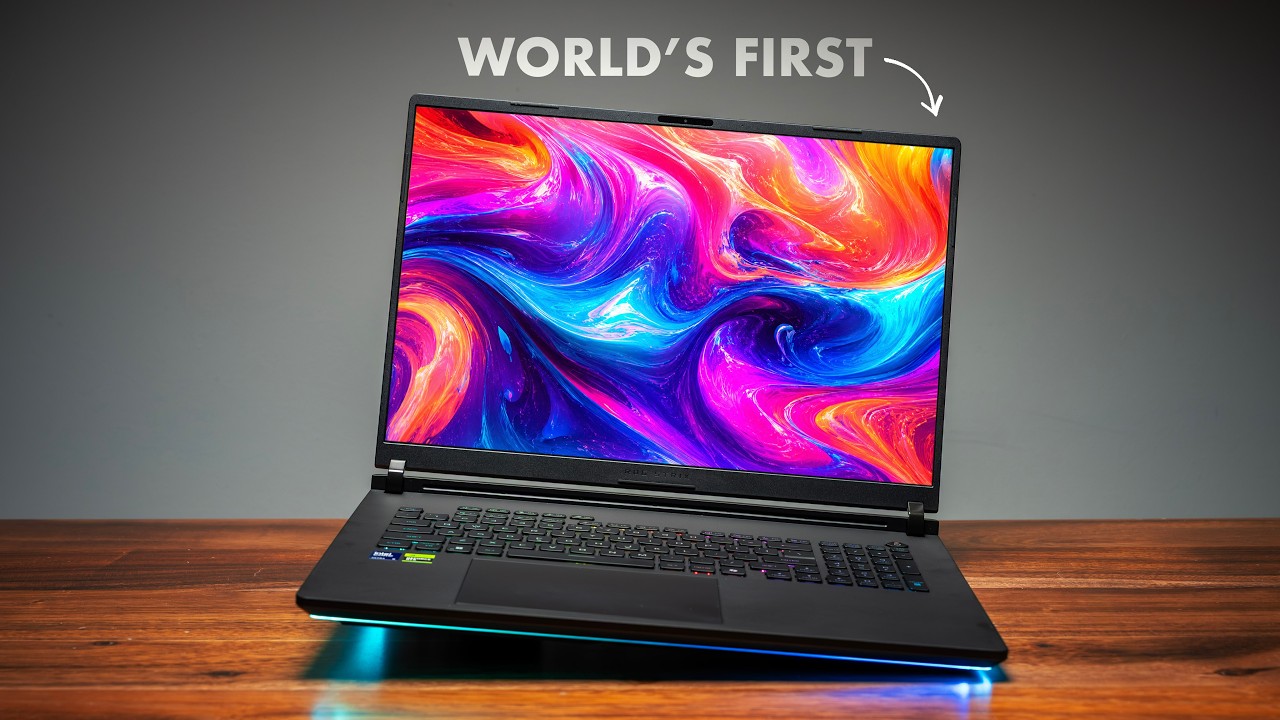
This is the HP Omen 16 with an RTX 5090, the most powerful laptop GPU you can buy today. NVIDIA sponsored this video and asked me one simple question: how much can you actually push this thing? So I didn't run my typical benchmarks. I just used it — a full day's session of gaming, recording, editing, and running AI models locally, all at once, all on one laptop. If you like this style of testing, let me know, because I'll make it a standard going forward.
Quick Verdict
The interesting question with an RTX 5090 laptop isn't "is it faster than integrated graphics" — obviously it is. It's how far you can push it before it taps out. The answer, across a real stacked workload — gaming, local AI, video export, and a massive Photoshop file all at once — is that the slowdown I went looking for never showed up. A dedicated GPU has its own memory, power, and thermals, plus separate silicon (shader cores, RT cores, NVENC, tensor cores) for different jobs at the same time. That headroom is what you're paying for. The catch: poor battery life, real fan noise, weight, and a serious price.
Why a Dedicated GPU Is a Different Animal
The big difference between this and an integrated-graphics laptop isn't just "this one's faster." A dedicated GPU has its own everything: its own memory (24GB of VRAM here), its own power, its own thermals. Integrated graphics share all of that with the CPU — same memory, same power budget, same heat ceiling — so the second the CPU gets busy, the graphics have to fight for resources.
It goes deeper. This GPU isn't one thing doing one job: shader cores run the game, RT cores handle ray tracing, the NVENC encoder handles your recording, and tensor cores run an AI model — different parts of the chip, different jobs, all simultaneously. You can have an AI model generating in the background and not lose a single frame in your game because they're literally running on different silicon. An integrated chip has no separate hardware to hand the work to.
The Baseline: Where Integrated Graphics Hits the Wall
To show the scale, I grabbed a laptop with no dedicated GPU — Intel's Panther Lake, currently the most capable integrated graphics you can buy — as a yardstick, not a rival. First I ran Llama 3.1 (8 billion parameters) locally on its own: about 19.6 tokens/second, roughly 266 tokens in 0.93 seconds. For a thin ultrabook with no dedicated GPU, that's genuinely solid.
But nobody only does one thing. The moment I fired up a game and asked it to run that same AI model at once, the frame rate dropped to 45 and the AI fell off a cliff — from nearly 20 tokens/second down to under 4. Even dropping the game to 1920×1200 only nudged the AI to about 4.27 tokens/second. That's the wall.
And here's the part that actually matters: you might assume the integrated laptop is the cheaper, sensible option. It isn't. Premium Panther Lake ultrabooks are expensive — for the same money, sometimes less, you can buy a laptop with a real NVIDIA GPU (a 5070, 5060, 5070 Ti, even a 5080 on last year's models). You're not saving money going integrated; you're paying the same and getting a machine that has to choose between tasks. (You do get better battery life with integrated — that's the real trade.)
The Omen 16: Stacking Workloads Until Something Breaks
Back to the Omen. Same Llama 3.1 8B model, same prompt: 100 tokens/second — more than five times faster. And the whole time I had 15 Chrome tabs open, Discord running, OBS recording the session, and Afterburner monitoring.
The test that broke the integrated chip — Marvel Rivals plus an LLM on the same GPU — ran at 230 FPS just gaming, and when I loaded the LLM on top, I was still getting about 54 tokens/second. A drop, sure, but it kept cranking while the game kept running.
Then I kept stacking. I dropped a 4K 13-minute timeline into DaVinci Resolve and exported about 2 minutes in 1080p in the background — the game barely dipped. That's CUDA chewing through the export while the game keeps going. Then I loaded a 230MB layered Photoshop file with everything else still open, and there was zero slowdown. It opened like nothing else was happening. That's the part benchmarks never capture: the whole system stays responsive. Alt-tab is instant. Massive files just open. That's what you're actually paying for.
The Other Half: DLSS 4.5 and Path Tracing
What makes this GPU special isn't only hardware — it's DLSS 4.5. To set the stage: Pragmata, maxed out with ray tracing on, DLSS balanced, and 4x frame generation, ran at 315 FPS and looked beautiful. There's a touch more latency from frame gen, but you won't notice it in a game like that.
The real showcase is Cyberpunk 2077 with full path tracing — the most demanding lighting in any game right now. At native resolution, ultra settings, with zero help, I got 20 FPS (unplayable) — that's the raw cost of the prettiest graphics on the planet. Turn on DLSS 4 Balanced with the new Transformer model and it jumps to 55 FPS. Add 4x frame gen and it averages 175 FPS. Flip to 6x frame gen (RTX 50-series only) through the NVIDIA app and it averages 240 FPS. Path-traced Cyberpunk on a laptop — three months ago that wasn't even possible. There's also dynamic frame generation, which picks the multiplier on the fly to match your refresh rate — basically an automatic transmission for frame gen.
Where It's Not Perfect
No laptop is perfect, and this one isn't either:
- Battery: Gaming unplugged gets you maybe an hour with reduced performance. This is not a coffee-shop gaming laptop — plug it in for demanding tasks.
- Fan noise: Under this kind of load, you'll hear it. Headphones or loud music recommended. I won't pretend it's silent.
- Weight and size: It's a 16-inch laptop with a 5090. It's heavy, the charger's a brick, and you'll feel it in your bag.
- Price: A machine specced like this is not cheap. You're spending serious money, and I won't dance around that.
Who Is It For?
- Creators who game / gamers who create — the sweet spot. The same GPU edits your video, runs your AI tools, and plays path-traced Cyberpunk at 400 FPS. You don't need two machines.
- Streamers — the dedicated NVENC encoder records and streams without costing you frames.
- Anyone who tells themselves integrated is "good enough" — for light stuff, it is. But a premium integrated ultrabook costs about the same as a dedicated-GPU laptop with a 5070 or 5070 Ti. The second you want to do two demanding things at once, you've paid the same price for a machine that hits a wall the Omen never does.
- Esports-only players — honestly, this is overkill. If all you play is Valorant and Rivals, save your money and get an RTX 5060 or 5070 Ti.
The slowdown I went looking for never showed up on the tests I ran. Sure, I could break it by loading an AI model bigger than its memory — but the point is how much headroom you get to do real work. That's what an RTX 5090 laptop actually buys you.
This was a sponsored video — NVIDIA partnered on this stress test. Full links are in the video description.
Published: June 2026