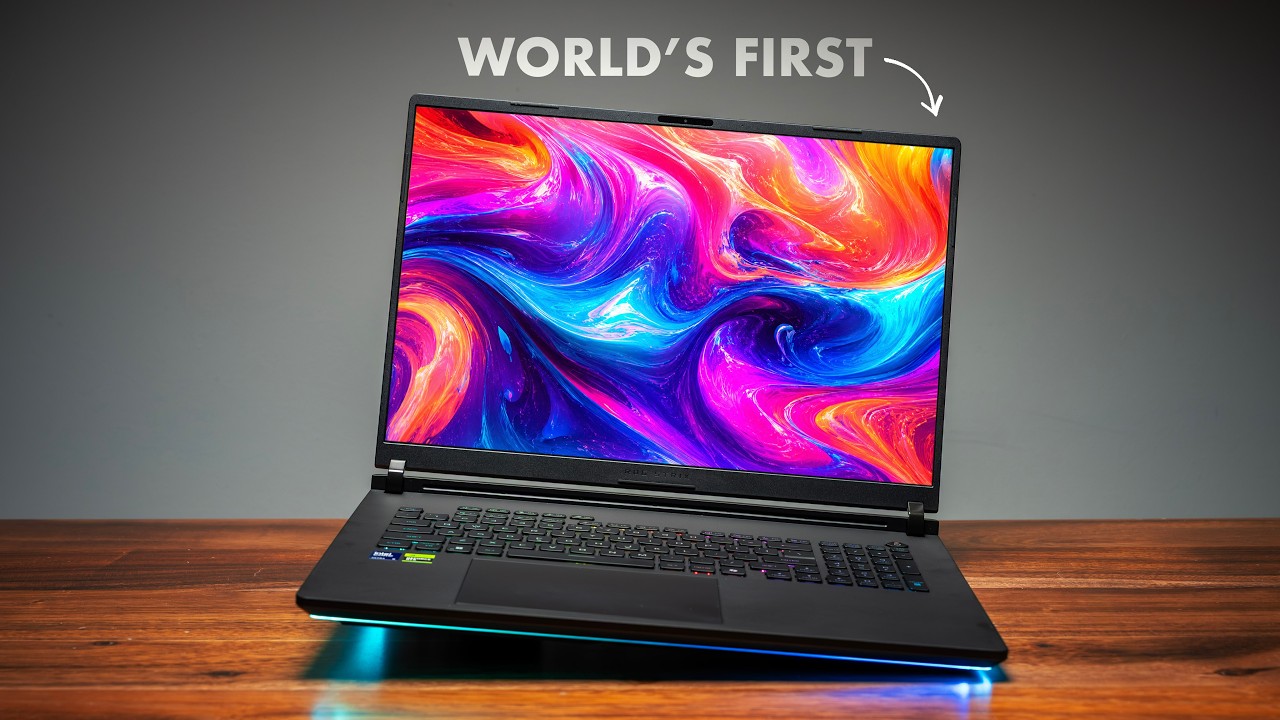
Gigabyte Aorus Master 16 (2026) Review: AMD Just Made Intel's Job Harder
This is the brand-new Gigabyte Aorus Master 16, and the big story this year is that Gigabyte switched teams. They went from blue to red — Intel to AMD — and it mostly paid off, except in one area that I think most of you will find minor. Gigabyte sent this out and sponsored the video, but if you're shopping for a gaming laptop this year, I think you're going to like these changes a lot. They're small, but they're the right ones.
Quick Verdict
Gigabyte moved the Aorus Master 16 to AMD's Ryzen 9 9955HX3D, and the result is a lighter, thinner, brighter laptop that runs cooler and faster than anything Intel is offering in this class. The OLED display jumps from 500 to 1,000 nits, the chassis sheds half a pound, and the CPU buries the competition in multi-core while keeping temps in the low 80s. The one regression is battery life — about an hour less than last year's Intel model — but for a desktop-replacement gaming laptop, that's a trade I'd make every time.
Design: Lighter, Thinner, Still Premium
It looks a lot like last year's model, but pick it up and you feel the difference immediately. Gigabyte shaved off about half a pound, dropping from 2.5kg to 2.3kg, and even trimmed the height — this is a genuinely thinner product. For a system with this much performance, being able to actually carry it everywhere matters.
The build feels great: rounded edges, an aluminum-magnesium chassis, and a premium feel overall. Yes, the darker color collects fingerprints — that's just the way it goes. There's a good amount of RGB without being overbearing: the lid logo lights up, a beacon on the back shines down onto your desk, and there are RGB strips around the back you can tune to your taste or turn off entirely.
Ports, Keyboard, and Display
Ports are solid. On the left: gigabit Ethernet, the power connector (a 330W GaN brick that stays reasonably compact), HDMI 2.1, USB-A, and a USB-C 4.0 port. On the right: another USB-A, a second USB-C 4.0, a UHS-II microSD slot, and a combo audio jack.
Build quality is excellent — barely any lid flex, and it opens with one hand. The keyboard is a highlight: clicky, with good travel and actuation, and it feels fantastic to type on. There's no numpad, and honestly I don't want one — it'd feel crammed on a 16-inch deck, and the symmetry here is too good to ruin. RGB is per-zone (three zones) rather than per-key. The touchpad is big, centered, glass, and mechanical (not haptic).
But the change I'm happiest about is the display. It's the same 2560×1600 OLED panel, same 240Hz refresh, still 16:10 for that extra vertical space — but peak brightness jumps from 500 to 1,000 nits. That's a big jump, and you feel it the moment you put HDR content on it: better blacks, highlights that actually pop. It's a glossy panel so you'll catch reflections in a bright room, but I'll take a bright glossy panel over last year's every single time. No touch, but there's a 1080p webcam with Windows Hello. Audio is good too — four speakers loud enough to power through the fans, which can exceed 60dB on the highest profile (drop to balanced and the noise falls way down).
Performance: The AMD Chip Steals the Show
You can still spec this up to an RTX 5090 like my unit, but the headline is the CPU: the AMD Ryzen 9 9955HX3D, and it's a monster in a laptop. Single-core is excellent at 514 in Cinebench R26 — right up there with Intel — but multi-core is where it runs away: 8,734, a massive lead over the Legion Pro 7i's 7,245, and it absolutely buries the Zephyrus Duo. Transcoding, rendering, CPU-heavy apps — it chews through all of it, and even my browser Speedometer test beat everything Intel currently offers. Best part: the CPU hangs out in the low 80s with consistent clocks, no thermal throttling, no jet-engine panic mode.
Pair that CPU with the GPU and you've got a beast. Steel Nomad scored 63 — a very good RTX 5090 laptop result — with the GPU topping out at 175W (peaking around 173W) while staying relatively cool. Blender scores are top of the chart across Monster, Junk Shop, and Classroom. Premiere Pro and Photoshop results are among the best I've gotten recently, which is where that CPU truly shines.
But let's be real — most of you are buying this to game. Whether at 1920×1200 or the full 2560×1600, it handles every modern title perfectly. Some games you'll want DLSS Super Resolution on, but you don't need frame generation with a 5090 in here — I've been playing Pragmata with just Super Resolution, no frame gen, easily over 100 FPS, and it looks gorgeous. For competitive titles like Marvel Rivals, the X3D cache is made for this, and dropping to 1920×1200 makes the frame rates silly.
The One Regression: Battery Life
Remember I said one spec got worse? Here it is. Battery life lands at 5 hours 11 minutes. Last year's Intel-based Aorus Master 16 did 6 hours 18 minutes, and the Legion Pro 7i does almost 7 — and that's with a full 99Wh battery (the biggest you can legally fly with).
Be honest: whether you go HX-class AMD or Intel, none of these batteries are champions. If you want all-day battery you need a weaker H-series chip, and that's a completely different laptop. Five hours is enough to get respectable work done and plug in later, and the one-to-two-hour difference probably won't make or break your decision.
Internals and Upgradeability
Quick peek inside: two thermal pads to keep the SSDs cool (one M.2 slot populated with a fast drive, plus a second open slot), an upgradeable Wi-Fi 7 card, and two RAM slots (my unit has 32GB across two sticks). The 99.2Wh battery dominates the bottom, with a good vapor-chamber cooling setup using Gigabyte's Frost tech up top. One warning: be careful prying off the bottom lid — two cables attach to it, so don't rip it off hard or you'll break them.
Who Is It For?
- Gamers who want top-tier performance in a lighter chassis — the weight cut and brighter OLED make this far more livable than most 5090 laptops
- Creators and 3D artists — the Ryzen 9 9955HX3D plus RTX 5090 tears through Blender, Premiere, and Photoshop
- Anyone who values consistency — no overheating, no weird behavior, just a solid, predictable machine
Honestly, this was a ridiculously easy review. Lighter chassis, way brighter display, great keyboard, and an AMD chip that delivers top-tier performance while running cooler than anything Intel's got right now. The refinements were small, but they were the right ones — and that consistency is exactly what you want to hear when buying any laptop, gaming or not.
Where to Buy
This was a sponsored review — Gigabyte provided the Aorus Master 16 for testing.
Affiliate Disclosure: This article contains affiliate links. If you purchase through these links, we may earn a commission at no extra cost to you.
Published: June 2026