Dell XPS 14 vs Dell XPS 14 (2026) — One of Them Shocked Me
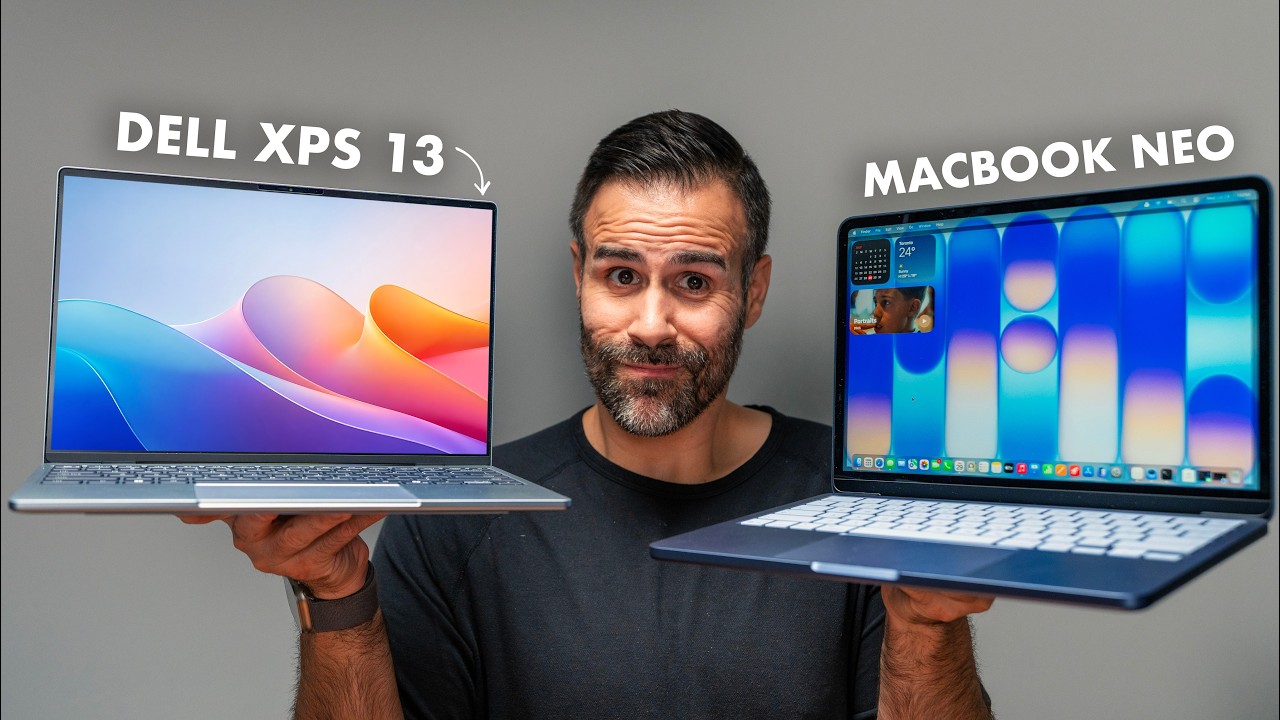
This is the brand new Dell XPS 14. And this is also the brand new Dell XPS 14. Same chassis, same design, same beautiful CNC aluminum body. But one of these is over three grand and the other is around two. One of them gets absolutely destroyed in benchmarks. And one of them has a feature I have never experienced in any laptop I've ever reviewed on this channel.
Here's the full breakdown — and at these prices, the bigger question is whether either of these is actually worth buying.
Quick Verdict
The Core Ultra X7 model is the real Panther Lake laptop here — gorgeous tandem OLED, surprisingly strong gaming for a thin and light, and a 15-hour battery. But Dell deliberately caps it at 27 watts, leaving real CPU performance on the table compared to the Lenovo Slim 7i Ultra running the same chip. The Ultra 5 model is the cheaper one — and it performs like a wet noodle in almost every test — but it does something no other laptop I have ever reviewed has done: over 39 hours of mixed-use battery life. Both are great laptops at the wrong price.
Two XPS 14s, One Chassis
You can't tell these apart by looking at them. CNC aluminum body, same hinge, same port layout, same 14-inch footprint. Pick either one up and it feels expensive — finished, premium, light. The OLED model weighs 3 lb, the LCD version 3.05 lb. For a 14-inch laptop with this kind of build quality, that's impressive.
The port situation is a letdown, especially at $2,000. Two Thunderbolt 4 ports on the left, one more Thunderbolt 4 plus a combo audio jack on the right. That's it. No USB-A, no SD card slot, no HDMI. If you're a creator, you're back to living the dongle life.
Build quality is rock solid. You can open it with one hand. There's a bit of display wobble — not as tight as a MacBook or a Razer, but better than most laptops out there. The hinges are smooth. It just feels like a premium product from top to bottom.
Keyboard and Touchpad: Almost Great
The keyboard is the kind of thing I want to love. The layout is gorgeous, the backlighting is clean, the actuation is satisfying, and the keys themselves feel premium. But — and this is the real but — I make way more typos on this keyboard than I do on the Lenovo Slim 7i Ultra, the MacBook Pro, or the MacBook Air. The keys are big, but the spacing between them is just a little too tight. After about 20 minutes of typing, the mistakes start adding up.
The touchpad looks incredible — that one seamless piece of glass running across the bottom. It's haptic, standard on both models. The active area is wide. Is it the best haptic touchpad I've used? No — the Surface Laptop wins for me, and the MacBook trackpad is still the gold standard. But it's good. I'd recommend bumping the intensity down to a 2 in the settings.
Display: This Is Where the Models Split
This is where the two XPS 14s start to actually feel different from each other.
The cheaper Ultra 5 model does not get the tandem OLED. You get a 14-inch IPS panel — and honestly, it's fine. Viewing angles are kind of meh, but it's matte, so reflections are handled quite well. It's 120 Hz with variable refresh rate, though weirdly you can't manually set the refresh rate yourself — you just have to trust Dell to do it for you. And here's the kicker nobody talks about: the SDR brightness on the IPS panel is actually higher than the OLED on the more expensive model. Let that sink in.
The X7 model gets a 3K tandem OLED, 120 Hz, with variable refresh from 20 to 120 Hz. It can't go down to 1 Hz like the LCD version. Colors are punchy, blacks are perfect, color gamut is fantastic, basically zero reflections. But the peak brightness tops out at 500 nits. That's it. The ASUS ExpertBook Ultra I just reviewed hits 1,400 nits — and that's tandem OLED. The iPad Pro gets brighter, and that's tandem OLED. The Lenovo Slim 7i Ultra AE hits 1,100 nits, and that's not even tandem OLED. For the most expensive laptop in this comparison, 500 nits is a real letdown.
Performance: Dell Made an Interesting Decision
Most of the Panther Lake competition — the Lenovos, the ASUS — run their chips at 40 to 45 watts on performance mode. The XPS 14 caps out at 27 watts. That's on Dell's own spec sheet, "Ultra Performance" mode. And that's a bummer, because Panther Lake is efficient enough that these chassis could easily handle more. Dell is literally leaving performance on the table.
Multi-core (Cinebench R26):
- XPS 14 X7: 3,721
- Lenovo Slim 7i Ultra (same chip, thinner chassis): 4,315
- XPS 14 Ultra 5: 2,282
That's a 16% gap between two laptops running the exact same processor — purely because of Dell's power cap.
Single-core: The X7 hits 510. The MacBook M5 hits 726. Still behind, but competitive.
The Ultra 5 performs like a wet noodle. Firefox compile took 54 minutes. The X7 did it in 34. The MacBook Pro M5 did it in 14. The Ultra 5 isn't just losing — it's getting beaten by previous-generation Lunar Lake chips in some tests. For a chip this new, that's really disappointing.
Photoshop: X7 hits 9,960. MacBook Pro M5 hits 13,590.
Premiere Pro: X7 gets 33,940. MacBook does 62,981. Almost double. If you're editing video, you're probably choosing the MacBook Pro.
The honest take: the X7 is a solid performer that's deliberately throttled. The Ultra 5 is just underpowered for what Dell is charging.
Graphics: This Is Where It Flips
Graphics on the X7 model use the Intel B390, and this is where Panther Lake absolutely cooks. I'm not kidding — I can play almost any modern game on this laptop as long as I'm willing to tweak settings.
- Cyberpunk 2077: Completely playable
- Black Myth: Wukong: Playable with frame generation
- Marvel Rivals: Runs great
- Overwatch: 120 FPS, full experience
For a thin and light with no dedicated GPU, that's absolutely awesome. 3DMark Steel Nomad: 1,393 on the X7 — actually beating the MacBook Pro M5 at 1,057.
Then there's the Ultra 5. It uses Intel graphics — not Intel Arc, not Intel B390, just Intel graphics with four graphics cores. Steel Nomad: 432. That's worse than the previous generation. You're paying $2,000 for graphics that get beaten by chips over a year old.
If gaming or any GPU work matters to you at all, the X7 isn't optional — it's required.
Speakers and Fan Noise
Quad speaker setup, no visible grills, firing through the keyboard and downward. Sounds genuinely good.
Fan noise: both laptops hit around 44 to 46 decibels on Ultra Performance. Not gaming-laptop loud, but you will hear them. The tone is a little hollow — kind of like a kettle starting to boil — but there's no whine, no whistling. In Optimized or Quiet mode, they disappear. For typing, browsing, video calls, or being in class, you won't hear them.
Battery Life: The Feature I've Never Seen Before
This is the part where one of these laptops does something no other laptop I've ever reviewed has done.
- X7 (tandem OLED): 15 hours 33 minutes — a full work day, completely respectable
- Ultra 5 (IPS): Over 39 hours
That's not a typo. That's not video playback. That's mixed use — Zoom calls, idle time, Microsoft Office. Almost 40 hours of real-world battery on a Windows laptop. I genuinely don't know what to compare this to, because nothing else even gets close.
This is why the Ultra 5 is a strange but real proposition. The performance is bad. The graphics are bad. But the battery life is unprecedented.
Price: This Is Where Things Get Spicy
The fully-specced X7 with 32 GB of RAM is over $3,000. The Ultra 5 is around $2,069.
To be fair to Dell: this is an industry-wide problem. The Panther Lake X-series chips (X9, X7) are expensive for Intel to produce, supply is limited, and most competitors don't have their X7 models available yet. Dell got inventory first and should get credit for that.
But at $3,000, I can walk over to Apple, buy a MacBook Pro with the M5 Pro chip, max it out with 64 GB of RAM, and still pay less than this XPS 14. And that MacBook gives me better performance, a brighter display, better speakers, more ports, and arguably a better keyboard.
At $2,069 for the Ultra 5, you can get a base MacBook Pro M5 Pro with more RAM for the same price. Or any number of really excellent Windows laptops for hundreds less that also have a dedicated GPU.
The price-to-performance ratio just isn't there.
Who Should Buy Which?
Buy the Dell XPS 14 (Ultra 5) if:
- You're a Windows user, you love the design, and battery life is your number-one priority
- Nothing else touches 39 hours, and that single feature outweighs everything else for your workflow
Buy the Dell XPS 14 (X7) if:
- You need a real-world performer with an OLED display in a thin and light Windows laptop
- You want the best gaming experience you can get from an integrated GPU right now
- You're willing to pay a premium for the privilege
Don't buy either if:
- You're cross-shopping a MacBook Pro M5 at the same price — the MacBook wins on almost every measurable spec
- You can wait. Component costs are up, supply is constrained, and prices across the entire X7/X9 Panther category should settle as more competitors ship
Where to Buy
Final Verdict
Look — I love these laptops. The design is one of Dell's best efforts ever. The OLED is beautiful, even with the brightness compromise. The build quality is fantastic. But the pricing across the entire X7/X9 Panther category right now is rough. It's not Dell's fault alone — component costs are up, supply is constrained, Apple has cushion the rest of the industry doesn't have. This is just the moment we're in.
If you want my honest take: I'd wait. Especially if you're looking at a Panther Lake laptop. Wait for prices to settle, wait for more competition to ship their X7 models, wait for sales. These are great laptops at the wrong price.
The Ultra 5's 39-hour battery is genuinely unprecedented, and if that single number is the entire story for you, it's a defensible buy. For everyone else, the X7 is the model worth waiting on — at a better price than it has right now.
Affiliate Disclosure: This article contains affiliate links. If you purchase through these links, we may earn a commission at no extra cost to you.
Published: May 2026